Wifi strip 4 plug

Users Who Are Viewing This Thread (Total: 0, Members: 0, Guests: 0)

Rockdiver

Member
Joined
Mar 7, 2021
Messages
169
Reaction score
9
Location
chicago
Hello maybe I'm doing something wrong installing the wifi strip.
When I turn it on it goes on for a few seconds then shuts down.
See video. Maybe I just got a bad one all my others work well.
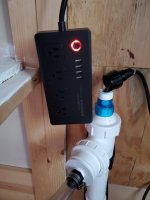
Hmm video won't load but a the red led lights for the plugs light up then like 2 seconds later it all shuts off. the power button stays lit see pic
 

Attachments

  • 16186974648645566155985098016127.jpg
    16186974648645566155985098016127.jpg
    1,020.7 KB · Views: 7
I would unplug it and then plug it back in. Then hold the power button down until it blinks fast and repair it in the app. See what happens.
 
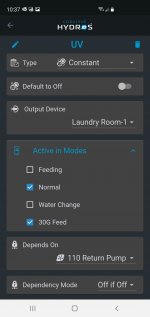
Did you configure an output for that new strip? Try setting up a Constant output called “test” or something like that.
 
Ya I did, really you plug it in hit the on button and all the little leds above the plugs are on then 6 seconds later it all shuts off.
I tried a different outlet and same thing.
Something is tripping it off
 
Ok. I had a similar experience when I first was setting up. Carlos explained that if I saw that the strip was recognized in the app then it was paired. If the wifi strip is shutting down all the little led’s above each socket, then it is because the controller believes that all the outlets should be off. So we created a test output that I connected a lamp to. Then clicked on the new test tile in the app and toggled the slider off/on. It worked. Thought maybe you had the same problem.
 
Hmm I will try again.
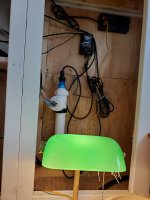
Just hooked up my UV and swapped return pump to the M1.
I'll get a lamp and try. I think I did this but I'll do it again paying more attention
Thanks !
 
Well idk what I did different but it worked. Could of sweared I did all that. But another day and more help from you.
Thanks !
 

Attachments

  • 16187600762646847128298625309889.jpg
    16187600762646847128298625309889.jpg
    1.4 MB · Views: 12
  • Screenshot_20210418-103722.jpg
    Screenshot_20210418-103722.jpg
    266.1 KB · Views: 10
Back
Top