Fan RPM Signal

  • Thread starter Thread starter Redemptioner
  • Start date Start date
  • Tagged users None

Users Who Are Viewing This Thread (Total: 0, Members: 0, Guests: 0)

R

Redemptioner

Guest
Is there a setting to read the Fan RPM signal for case fans on the sense or I/O input?
 
Should be easy to implement if there isn't I guess, in the end it is the same as a flow meter sensor input as we are after all just counting pulses on a hall effect sensor. Guess I will have to play around later today as I have to add a DIY humidity sensor to drive the fans which will require some fiddling to get working as well.....:(
 
Well turns out the closed Hydros system doesn't accommodate much in this area, it seems the 0-10V input I/O ports are pretty useless and limited unless you want it to see you activate a switch. It can sense 0-10V but you have no ability to run them in diagnosis mode (like sense ports) to see what incoming voltages are.

So there should be no issue using a sense port and then configuring a flow sensor reading and changing the display unit, alas you cannot setup custom flow sensor settings (pulses and timing) nor can you change the display units so it is useless as well. Why make life so hard Coralvue, just add a "advanced" button to most inputs ( so we can configure the constants being used) or a "custom input" on flow sensors so we can configure other flow/hall-effect sensors. Add to this the fact it seems you can't setup anything on the analogue channel of a sense port (other than just see a raw voltage setup as a diagnostic port) and even if you could, if the digital channel of the same port is being used then you can't access the analogue port (and vice versa), just so painful. Also why have an offset value less than the total available range, if there is 10,000 steps in the range then having a maximum offset of 1,000 is pretty useless.....

We need a basic logic circuit menu to allow us to do some basic coding so we can work our way around some of the design issues....
 
Well turns out the closed Hydros system doesn't accommodate much in this area, it seems the 0-10V input I/O ports are pretty useless and limited unless you want it to see you activate a switch. It can sense 0-10V but you have no ability to run them in diagnosis mode (like sense ports) to see what incoming voltages are.

So there should be no issue using a sense port and then configuring a flow sensor reading and changing the display unit, alas you cannot setup custom flow sensor settings (pulses and timing) nor can you change the display units so it is useless as well. Why make life so hard Coralvue, just add a "advanced" button to most inputs ( so we can configure the constants being used) or a "custom input" on flow sensors so we can configure other flow/hall-effect sensors. Add to this the fact it seems you can't setup anything on the analogue channel of a sense port (other than just see a raw voltage setup as a diagnostic port) and even if you could, if the digital channel of the same port is being used then you can't access the analogue port (and vice versa), just so painful. Also why have an offset value less than the total available range, if there is 10,000 steps in the range then having a maximum offset of 1,000 is pretty useless.....

We need a basic logic circuit menu to allow us to do some basic coding so we can work our way around some of the design issues....
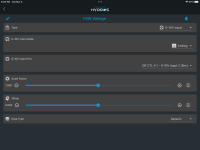
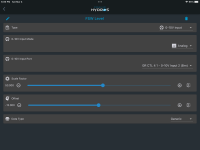
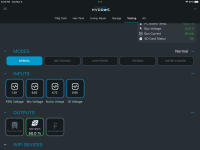
These 4 inputs are on my X4 and are the 0-10v inputs displayed in volts. The second screenshot is the setup for one of those inputs. The only thing changed from input to input is the name and the input. I also have other inputs setup using the same 0-10v inputs. The third screenshot is on of them. This input is connected to a pressure sensor and monitors the water level in the fresh salt water storage tank in percent full. It is a 5v sensor so the voltage output is from a little less that 1v up to about 2.5v for full. So I use them for DIY uses.

267A41E3-4C8C-4FB9-8265-2162643980D0.png

8DEFB7AD-CF18-4293-B57A-67E898C39795.png

79108E3F-5583-4A53-9A3E-6833875527CA.png
 
Sample rate is too low to display live voltage which is probably why they put the diagnostic feature on the sense port. There is a flow sensor setting in the data type for I/O but I have not come across a flow sensor with a vdc signal channel to use it. I whipped up a quick linear filter for the tach signal which allowed the I/O to read the fan RPM but the lack of offset issue comes into play along side the sample rate causing random negative readings.....

Looks like yet another side Pi build to fix limitations to basic functionality till they unlock some of the functionality underlying the sense ports, got to say this is a non issue on an Apex...
 
Back
Top