Skimmer sensor not working

Users Who Are Viewing This Thread (Total: 0, Members: 0, Guests: 0)

carlosn2pr

New member
Joined
Mar 23, 2023
Messages
5
Reaction score
0
Location
Florida
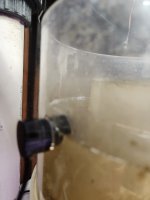
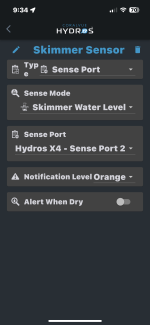
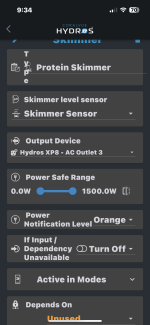
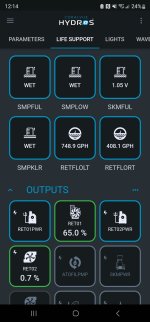
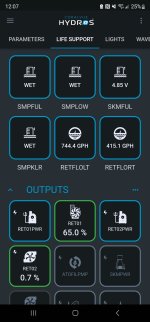
My skimmer cup filled up but the skimmer sensor did not alert me or turn the skimmer off. What am I doing wrong?
 

Attachments

  • IMG_3964.png
    IMG_3964.png
    236.7 KB · Views: 13
  • IMG_3963.png
    IMG_3963.png
    304.9 KB · Views: 11
  • IMG_3962.jpeg
    IMG_3962.jpeg
    1.1 MB · Views: 11
My skimmer cup filled up but the skimmer sensor did not alert me or turn the skimmer off. What am I doing wrong?

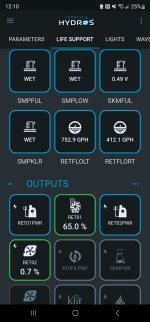
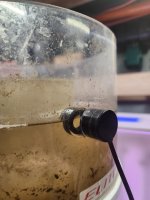
Your configuration looks fine. And no reason to believe you are cabled to wrong sense port because I believe a misconfigured skimmer sensor would trigger wet, not dry. I would start by double checking the wet side of the sensor to make sure it is aligned properly and not damaged. It may be the picture with it submerged in skimmate and viewing through the curved skimmer cup but something looks off. Alignment would be my guess because it is clearly submerged but reading dry. Next I would clean the side of the sensors that go against the skimmer cup and the cup itself. You can also temporarily change the input type from Skimmer Level Sensor to diagnostic to verify it is working properly. When dry, my sensor reads approximately 5V and about 0V when wet. Occasionally something in between when mis-behaving. Follow along..


SKMFUL diagnostic when DRY
Screenshot_20230425_000759.jpg


SKMFUL sensor when wet side is submerged
Screenshot_20230425_001018.jpg


Same sensor when wet but mis-aligned reads differently.
screenshot_20230425_001421-jpg.3402

Clearly evident when viewed from one angle...
20230425_001455.jpg
But not so readily visible viewed from the opposite side...
20230425_001915.jpg


If I'm a betting man, this view looks an awful lot like your photo.
 

Attachments

  • Screenshot_20230425_001421.jpg
    Screenshot_20230425_001421.jpg
    407.7 KB · Views: 34
Last edited:
Thanks for your reply. But all I had to do was wipe the lens on the wired side of the sensor. It must have been smudged and that took care of the problem. I was going crazy and it was such a simple fix.
 
Back
Top