Hydros Feeder not responding

Users Who Are Viewing This Thread (Total: 0, Members: 0, Guests: 0)

Tank2379

New member
Joined
Feb 23, 2021
Messages
5
Reaction score
1
Location
Chicago
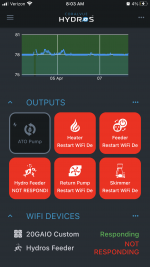
Ok, I gave up trying to connect this Wi-Fi Feeder. I followed these directions to the T. Maybe I missed something. Every time I connect, it disconnects all my other settings and keeps everything off then says Feeder not found. My main Wi-Fi outlets aren't responding.


As to unplugging and plugging into a Power Source are we Unplugging the Wi-Fi strip or just making sure the Feeder isn't plugged in? I know we can plug it into the USB that's what I would prefer since I'm kind of tapped out with power sources. Any help would be appreciated.
 
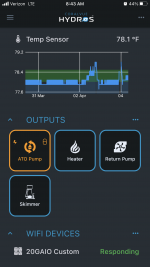
I usually link the wifi devices near my router wait a few minutes after the link then unplug them and move them where I want them. The instructions are referring to the wifi device you are linking in this case it would be the feeder and not any of the other ones. Make sure the total wifi devices is below 8 before linking. They show up on the status screen under WIFI DEVICES at the bottom.
 
I usually link the wifi devices near my router wait a few minutes after the link then unplug them and move them where I want them. The instructions are referring to the wifi device you are linking in this case it would be the feeder and not any of the other ones. Make sure the total wifi devices is below 8 before linking. They show up on the status screen under WIFI DEVICES at the bottom.
9C131E80-F2C7-4FC4-835A-BD9CA8E979A3.png
Only have 1 wifi device attached so for sone reason it keeping disconnecting my other connections. Maybe I need to wait it out and let it reset on it’s own. In any case. I will play around with it again later today.
 
Ok, I gave up trying to connect this Wi-Fi Feeder. I followed these directions to the T. Maybe I missed something. Every time I connect, it disconnects all my other settings and keeps everything off then says Feeder not found. My main Wi-Fi outlets aren't responding.


As to unplugging and plugging into a Power Source are we Unplugging the Wi-Fi strip or just making sure the Feeder isn't plugged in? I know we can plug it into the USB that's what I would prefer since I'm kind of tapped out with power sources. Any help would be appreciated.
Sorry you're having troubles! If you still need a hand just head over to the support portal and send in a ticket, we are glad to help :)CoralVue Support Portal
 
Plug the feeder to a regular uncontrollable outlet and then try pairing it and see if it works.
 
I just tried to plug it into a Regular uncontrolled outlet It says the link is successful and Red highlight of the feeder is gone, so does that mean it can’t be plugged into the hydros usb outlets ?
 
I just tried to plug it into a Regular uncontrolled outlet It says the link is successful and Red highlight of the feeder is gone, so does that mean it can’t be plugged into the hydros usb outlets ?
Yes, you can and you do that by creating a "Constant" outlet that turns ON your USB ports 24/7.

Follow the instructions here:

 
I just tried to plug it into a Regular uncontrolled outlet It says the link is successful and Red highlight of the feeder is gone, so does that mean it can’t be plugged into the hydros usb outlets ?
Just a quick question... Do you have the usb outlets turned on?? Setup as Constant?

Also during the paring operation you don’t want to shut the power off to anything. You need the power to be on . The video I believe shows to unplug something etc... don’t do that . Just follow that link @Carlos just posted. :)
 
Yes I have them setup as a constant as I have a tablet hooked up to the other usb. And I did unplug it like the video shows. Should I delete the feeder output and start over?
 
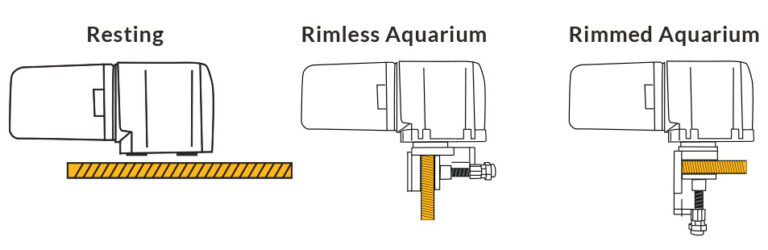
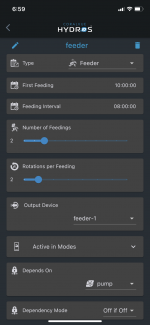
This is how I have the feeder set up, I don’t have a issue with line of site
 

Attachments

  • 45D07C72-EEAF-46F8-AA77-6AE79ED739C0.png
    45D07C72-EEAF-46F8-AA77-6AE79ED739C0.png
    189.4 KB · Views: 11
If it was me I would leave it off the wifi strip long enough to know there is no issue with the feeder itself. I would then retry on wifi again and see if it starts to act up again. I am not sure what the current draw is of the tablet and the feeder but it might be exceeding the 2 amp total occasionally. 2 amps at 5 volts is only 10 watts of power.
 
Back
Top