Dual Gyre/Hyrdos questions

Users Who Are Viewing This Thread (Total: 0, Members: 0, Guests: 0)

Jasontkd

New member
Joined
Jun 1, 2021
Messages
7
Reaction score
0
Location
Kansas
The Hydros 186 update deleted All my triggers and modes and I had to start from scratch.

I think I got my normal day and night schedule set back up, but I was hoping someone could help me with a couple of questions I had. I am running dual Icecap 4K Gyres on opposite ends (in case it matters)

1. Is there a way to set the feeding mode to activate at a specific time each day without me having to manually activate it? I would like to set it to come on just before my automatic feeder kicks on.

2. There is a new "Nutrient Export" mode. I would like to set it up to run once a week, but I have no idea how to do that and work it into my normal daily schedule.
 
The Hydros 186 update deleted All my triggers and modes and I had to start from scratch.

I think I got my normal day and night schedule set back up, but I was hoping someone could help me with a couple of questions I had. I am running dual Icecap 4K Gyres on opposite ends (in case it matters)

1. Is there a way to set the feeding mode to activate at a specific time each day without me having to manually activate it? I would like to set it to come on just before my automatic feeder kicks on.

2. There is a new "Nutrient Export" mode. I would like to set it up to run once a week, but I have no idea how to do that and work it into my normal daily schedule.

1) The only way to do that is to create a schedule that turns ON at the same time every day. You have to make sure that no other schedules are running at that same time. If they are, then there is no telling which schedule the controller will execute.

2) That is easy. You can create a schedule that runs your Nutrient Export pattern and then scroll to the bottom of the page, where you can see the days of the week. Select ONLY the day of the week you wish to run the pattern. Then that day, the pattern will activate. As with answer #1, you need to make sure that no other conflicting schedules run simultaneously.
 
That doesn't seem possible. If my normal day mode runs from 8-22, 7 days a week, I will always have a conflicting schedule unless I set my normal schedule to only run 6 days a week and then have a special configuration for 1 day a week.
 
What are the specs of the schedule you want to run once a week? What time? How long? Once or multiple times?
 
I don't exactly know yet. I wanted to run the Nutrient Export for probably 10 minutes each Saturday Evening or Sunday Morning. However, since this is a feature I have never used, i can't really find how that should be set up. It isn't worth doing if it isn't set up correctly, but I am having trouble finding the correct way to set it up.

The other setting I was trying to figure out how to use was a scheduled feeding time. I would like to run the 15 minute feeding mode at 18:00 each evening.
 
Ok, you could use the "Enable Advanced Settings," which would give the flow pattern higher priority over regular flow patterns. If you enable that, then the flow pattern would automatically stop the "normal/basic" pattern and run the "Advanced" one, and then when done, it would revert to the "normal" pattern.

Does that make sense?

Your example does raise a good point, so we are considering adding priorities to the flow patterns to make this much simpler!
 
Yes, it makes sense. I am not quite certain how to set it up though.

Is there somewehre I can see a visual example or a video of someone setting up this type of thing with advanced settings?
 
That's why I was asking for details on what you are trying to accomplish so I could take a screenshot of what you want. Without knowing what you are trying to do, an example might not be close enough to your final goal.

The instructions are here, and the advanced fields are explained at the bottom of the page:


If you have a specific setting that you want to create, I will be happy to help you set it up. I just need more information to give you a better example.
 
Ok, I think I might have it. For nutrient export, i would have to set up an additional schedule and only set it to run for 10 minutes, once or twice a week. That would take priority over my normal day schedule, but would revert back to it once complete. Am I getting that right?
 
So here is an example. I made some assumptions due to the lack of information.

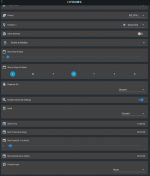
Here is a flow schedule that will run:
  • Sunday and Wednesday
  • 10 minutes only ONCE
  • Starting at 12 noon
This schedule will override any schedules that run simultaneously but DO NOT have "Enable Advanced Settings" enabled.

Screen Shot 2021-06-01 at 2.33.36 PM.png
 
As I mentioned prior, you did bring up a good point, and we are definitely looking into including the ability for you to specify the priority of the schedule. If you have a schedule that runs on Sunday and Wednesday and has a priority of "High," then it would run instead of a schedule that is set to run at the same time every day but only has a priority level of "Normal." Once the high-priority schedule is complete, then the controller would revert to the "Normal" schedule.
 
that is what I assumed it would be based on my reading. I am assuming I could set up the same thing for feeding. I would just set it up to run for 15 minutes every evening; using advanced settings.

On a separate note. The Nutrient export, is there a specific intensity level that this feature is designed to work best at.
 
that is what I assumed it would be based on my reading. I am assuming I could set up the same thing for feeding. I would just set it up to run for 15 minutes every evening; using advanced settings.

On a separate note. The Nutrient export, is there a specific intensity level that this feature is designed to work best at.
Yes, feeding would be done that way, and you can get it to trigger at the same time each day.

In terms of intensity for Nutrient Export, everything has to do with the size of the tank. The bigger the tank, the more intensity you will need. So the honest answer is... it depends.
 
Back
Top