Outputs on Status Page

  • Thread starter Thread starter Fltt
  • Start date Start date
  • Tagged users None

Users Who Are Viewing This Thread (Total: 0, Members: 0, Guests: 0)

Fltt

Member
Joined
Aug 30, 2021
Messages
36
Reaction score
2
Location
Oxford, Ct.
Hi All,
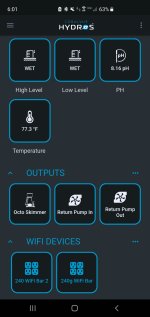
I just set up my AWC and it worked great. However the output status page on my phone will not show me the icons for the AWC output pumps.
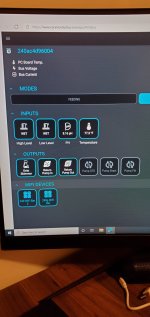
My laptop shows them. Is this correct?
 
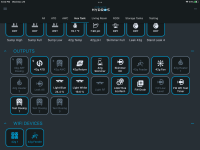
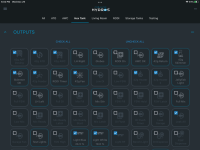
Press and hold one of the tiles for outputs a couple of seconds and then make sure the outputs in question are checked. then press and hold one of the output tiles a couple seconds to exit. After you do the press and hold you should have screen similar to the second screenshot below displaying all outputs. The first screenshot is a normal display for that page only showing the checked output tiles.

5DC09EC1-1D75-4AFF-A965-2E78C96646E0.png

28DF3D19-5706-49FC-BADC-0D3D4914E561.png
 
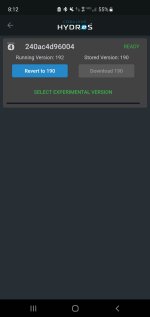
The firmware in this unit does not match the current released version.
Would that be an issue?
 
When was the last time you updated the app? Check the app version. There are three horozintal dots in the upper right corner of the app. Click on them. It should bring up a menu. At the bottom of the menu is a app version number in the (211) as an example. If you look you are running 192 and it wants you to downgrade. Don't downgrade. I assume you setup the new outputs on the computer using the web app. That is usually up to date.
 
Last edited:
Can you check on you device for updates for the apps. I think it should be higher than that. That could be the reason if the app does not have support for the outputs you created. I just noticed you have 209 on the web app. That seems closer to what you need. Defiantly check for an update on your phone.
 
Back
Top