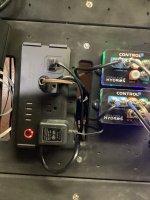
Can’t link my powerstrip to the hydros 4

  • Thread starter Thread starter Brisay
  • Start date Start date
  • Tagged users None

Users Who Are Viewing This Thread (Total: 0, Members: 0, Guests: 0)

Brisay

New member
Joined
Mar 7, 2021
Messages
21
Reaction score
2
Location
Long Island New York
Good morning , I have the hydros 4 for a couple weeks now and aside from a few connectivity issues early on , it seems like this is going to be a great controller . I initially set up the hydros powerstrip with no issues but hadn’t attempted to use it until now. When I plugged in my first device ( heater controller ) into one the outlets , no power was getting to the heater controller . So I decided to unplug the powerstrip and attempt to re-link it to the hydros 4. I’ve tried several times following the quite straight forward linking instructions but for some reason , I can’t get it to link. One thing to mention is that when I plug in the strip when instructed , it already is blinking between the red/orange and the red/white/blue flashes . Meaning I don’t have to press and hold the button for 5 seconds to achieve this. I’ve tried it at least a dozen times , both pressing and holding the button for 5 seconds as the prompts tell you to, and also I’ve tried just linking it after plugging it back in since it’s already blinking . Any other ideas are welcomed ?? I’m not an electronics guy but it can’t be that hard lol.
 
How close to your wifi are you when you do this? Also make sure the device you are using to link is on the same wifi you want the power strip on. I had this happen and when I brought the strip to the same room with the wifi access it linked up. Then after a while of running like that I placed it back where I wanted it.
 
How close to your wifi are you when you do this? Also make sure the device you are using to link is on the same wifi you want the power strip on. I had this happen and when I brought the strip to the same room with the wifi access it linked up. Then after a while of running like that I placed it back where I wanted it.
Thank you for the idea . I did actually check that though . I have my iPad and the hydros both on the same network which the router is only about 8 ft away. I’m wondering , aside from unplugging the powerstrip , is there a way to hard reboot it perhaps ??? Also , are those little red indicator lights above each outlet supposed to be on when there is connection to that outlet ?
 
Do you have a mesh network? Does your router have one SSID for both 2.4 and 5GHz WiFi networks?
 
The photo below is of a power strip that is linked and connected. The lights are on steady. No blinking.

F1B51340-6B84-40FA-80DA-C364AA7FD306.jpeg
 
Hi Carlos , I have main router from Verizon that has both 2.4 and 5Ghz. I can choose which one I want to use . I do also have a Google wifi mesh network connected with 3 satellites positioned around my house . The google wifi network connects via an Ethernet cable directly to the back of my Verizon router . I don’t know if the google wifi network uses the 2.4 or 5 GHZ from the Verizon router , but I do know that when my device ( iPad or iPhone ) uses the google wifi mesh network, I have no problems communicating with my wave engine or hydros 4. So I would assume the powerstrip should not have an issue as well. In theory at least lol. Thanks in advance for your advice .
 
If the power button light on the strip is half red and half blue, that means it is NOT connected to your WiFi. If the light is blinking blue, that means it is waiting to be paired. If the light is solid red, that means it has a connection to your router.
 
Hi Carlos , I have main router from Verizon that has both 2.4 and 5Ghz. I can choose which one I want to use . I do also have a Google wifi mesh network connected with 3 satellites positioned around my house . The google wifi network connects via an Ethernet cable directly to the back of my Verizon router . I don’t know if the google wifi network uses the 2.4 or 5 GHZ from the Verizon router , but I do know that when my device ( iPad or iPhone ) uses the google wifi mesh network, I have no problems communicating with my wave engine or hydros 4. So I would assume the powerstrip should not have an issue as well. In theory at least lol. Thanks in advance for your advice .
The problem is your Google Mesh. Google Mesh is a big PITA when it comes to 2.4GHz-only devices like the WiFi strips. We go over that issue here...

What kind of WiFi Network or Router Do I Need?
 
On a related topic , more of a general wifi question : Does the hydros need a continuous connection to wifi in order to operate ? Meaning if I got everything up and running on the proper wifi network , if from time to time the hydros lost connection to wifi , what would happen ? Would my heater/ pumps etc shut off ? And then restart once wifi was reestablished ?
 
If wifi is lost the power strips will remain in their current state until wifi is established again. So with heaters make sure you have another control such as the thermostat on the heater itself. I set mine a couple degrees above the hydros setting. This is the way I had it set on my Archon. I have one heater of the two on the hydros now.
 
If wifi is lost the power strips will remain in their current state until wifi is established again. So with heaters make sure you have another control such as the thermostat on the heater itself. I set mine a couple degrees above the hydros setting. This is the way I had it set on my Archon. I have one heater of the two on the hydros now.
So just to clarify , if wifi is lost to the powerstrip , the heater for example will or won’t work? Or will it be getting power but not be controlled by the hydros .during a loss of wifi?
 
If the outlet is on when wifi is lost it will remain on. If it s off it will remain off. So either could occur. There will be an alert sent if connection to a power strip occurs or if connection to the cloud is lost if you set it up for alerts when setting up the power strip. I think the default for the power strip is orange type alert.
 
Not yet . Driving me crazy . I switched over to my 2.4Ghz network and I’m trying to relink the hydros and the wave engine onto that network instead of the google mesh network they are currently running on , and I can’t even get that accomplished . When I hit the “+” symbol on the app , nothing appears in the box to choose the device and then choose which network you want to use . Not really sure how to proceed at this point
 
Does your 2.4GHz network have the same name as your Google Mesh network, or is it a different name? It should be a different name completely.
 
No , they have 2 different names and I’m able to choose the Verizon 2.4ghz option . I even hit “forget this device “ for the google wifi option on my iPad so it wouldn’t default to the google wifi
which it likes to do. When I try to link the hydros and the wave engine to the 2.4 ghz network , it begins the process but when it reaches “ installing device certificate “ , it just loads and loads forever . Those 4 little clownfish are surely dizzy from spinning in a circle so long 😉
 
Back
Top