Controlling the wireless power strip USB ports

  • Thread starter Thread starter prion27
  • Start date Start date
  • Tagged users None

Users Who Are Viewing This Thread (Total: 0, Members: 0, Guests: 0)

prion27

New member
Joined
Jul 14, 2024
Messages
13
Reaction score
6
Location
Mission Viejo, CA
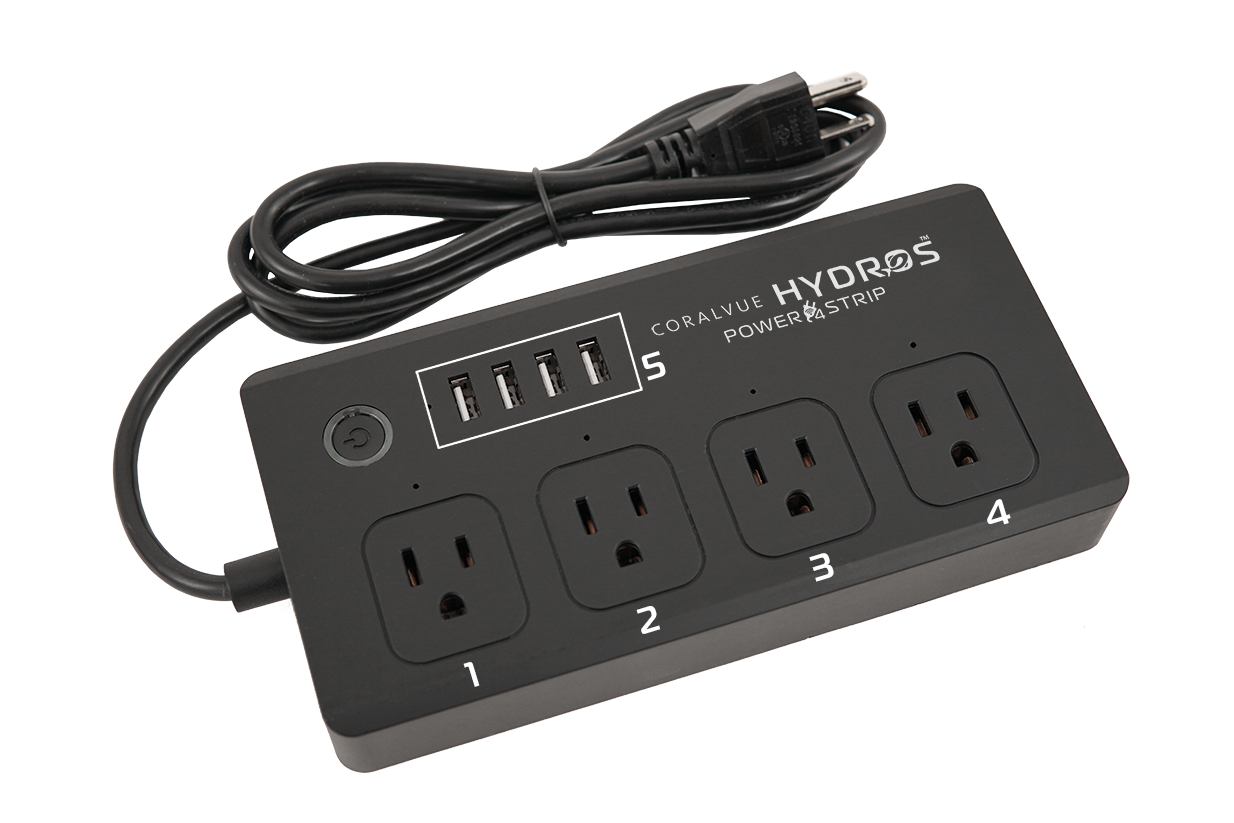
Is there some sort of power control of the USB ports on the $40 wireless power strip? I have a fan I want to power with a USB port, but it shuts off almost immediately when I press the power button on the strip. Am I doing this incorrectly?
 
Is there some sort of power control of the USB ports on the $40 wireless power strip? I have a fan I want to power with a USB port, but it shuts off almost immediately when I press the power button on the strip. Am I doing this incorrectly?
Few questions.. have you linked the strip in the app? Question 2 .. have you programmed outlet 5 ( Bank of USB outlets) to be on?
 
Few questions.. have you linked the strip in the app? Question 2 .. have you programmed outlet 5 ( Bank of USB outlets) to be on?
1. yes 2.I watched a video by Carlos about programming an "always on and constant family" for power stp-5. That is in place already. What am I missing?
 
You would have to setup an output on the controller using the USB ports instead of 1 of the 4 AC outputs. The push button on the wifi strip is not a power button but a button to put it into pairing mode so it can be paired with the Hydros controller or collective. It will not work stand alone and has to be controlled by a controller or collective.
 
Last edited:
You would have to setup an output on the controller using the USB ports instead of 1 of the 4 AC outputs. The push button on the wifi strip is not a power button but a button to pit i into pairing mode so it can be paired with the Hydros controller or collective. It will not work stand alone and has to be controller by a controller or collective.
Is there some instruction on how to do that?
 
Back
Top