- Admin
- #1

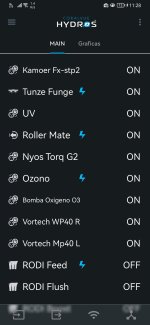
New firmware and App are now available.
The firmware is compatible with all HYDROS Controllers, including the IceCap WiFi Controller.
You can also control your devices using our CoralVue HYDROS Web App. (Clear your browser's cache and refresh so the app updates to the latest version.)
Installation Instructions:
Step 1: Download the new version of the app from your app store
Step 2: Download and install the latest firmware version. You must download the latest App version before updating to the newest firmware version.
Please visit the CoralVueHYDROS.com website for more in-depth instructions on downloading and installing the new firmware.
The firmware is compatible with all HYDROS Controllers, including the IceCap WiFi Controller.
IMPORTANT:
- NEVER, EVER, EVER update your firmware if you are not in the same location as your controller.
- CHECK YOUR OVERRIDES! After a firmware update, always check your inputs, outputs, schedules, and overrides.
- If everything looks good, please upload the changes after updating the firmware.
You can also control your devices using our CoralVue HYDROS Web App. (Clear your browser's cache and refresh so the app updates to the latest version.)
Installation Instructions:
Step 1: Download the new version of the app from your app store
Step 2: Download and install the latest firmware version. You must download the latest App version before updating to the newest firmware version.
Please visit the CoralVueHYDROS.com website for more in-depth instructions on downloading and installing the new firmware.