New XP8 not showing up in the Bluetooth list for initial setup

  • Thread starter Thread starter Raiden
  • Start date Start date
  • Tagged users None

Users Who Are Viewing This Thread (Total: 0, Members: 0, Guests: 0)

Raiden

Member
Joined
Mar 28, 2022
Messages
181
Reaction score
14
Location
Orlando, FL
Just got new XP8. Trying to set it up through + menu in the app. I can see existing devices in the list even across the house, but new one is not showing up.

Anything I can try to do myself before sending it back as DOA?

Lights are:
Status - Solid Green
Mode - Solid Blue
WiFi - Pulsing Pink
Collective - Solid Orange

Thanks!
 
Have not, but can try, although I have already packed it for return.

Do you use a case where a brand new unit would have something in its firmware to not turn on its Bluetooth where a reset like that would do anything?
 
Have not, but can try, although I have already packed it for return.

Do you use a case where a brand new unit would have something in its firmware to not turn on its Bluetooth where a reset like that would do anything?

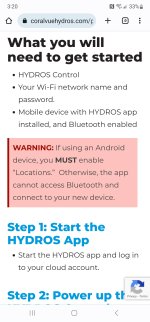
Unlikely a hardware issue. Any chance you are on an Android device?

Screenshot_20230718_152007_Chrome.jpg

 
I understand that. But check app permissions below Settings anyway to be sure Location is enabled. Location is only required when adding new devices. You can see existing whether it is enabled for not.
 
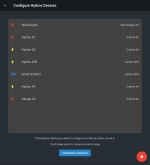
It's allowed, and I am talking I can see available devices in the Add new device screen, not just in general control screens. They show up with their Bluetooth icons showing connection quality etc.
 
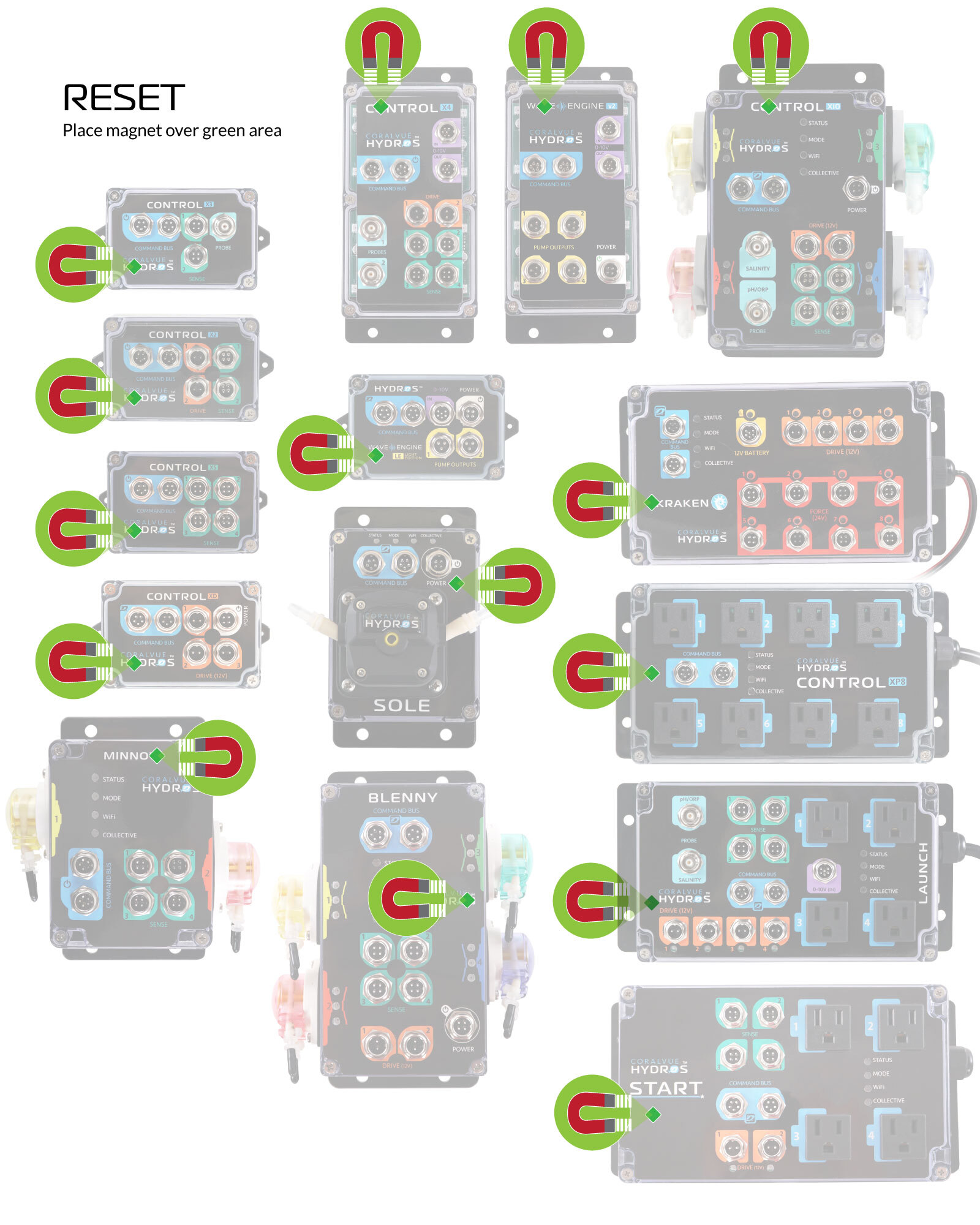
Did the reset, saw pretty colors till it was all flashing purple. It then cycled again through the rainbow and did normal boot up sequence (at least for it, cycling all outlets) still nothing. Power cycled same story.

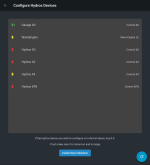
Attached is screen showing all existing devices aside from new one. All are 20-30 feet away and through few walls still showing up, while new one near the phone still nothing.

Back to BRS it goes =)
 

Attachments

  • Screenshot_20230718_163153.png
    Screenshot_20230718_163153.png
    196.6 KB · Views: 9
Did the reset, saw pretty colors till it was all flashing purple. It then cycled again through the rainbow and did normal boot up sequence (at least for it, cycling all outlets) still nothing. Power cycled same story.

Attached is screen showing all existing devices aside from new one. All are 20-30 feet away and through few walls still showing up, while new one near the phone still nothing.

Back to BRS it goes =)
Please don't send it back to BRS, reach out to support@coralvue.com and they can resolve any issues directly. @Michael can help you get things working right
 
Already sent out, but really not sure what else they would've done aside from shipping it to CoralVue for a replacement. Guess QA missed something on this one.
 
Already sent out, but really not sure what else they would've done aside from shipping it to CoralVue for a replacement. Guess QA missed something on this one.
You can always reach out to us directly via our support portal. We could have investigated it further and remote into your system to see what the issue might be. In any case we would have made it right and either fixed it or replaced it. Just for future reference. CoralVue Support Portal
 
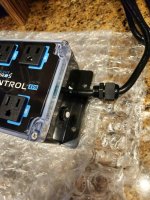
Just got replacement. Immediately showed up to connect in the list unlike the other one. However looks like another QC issue w8th power cord not secured to the body properly. Imagine i can fix it at home myself, but depending how wires are attached on the inside there might some soldering involved to get nut from that connector on the inside of the case.

Please review your QC practices, both issues should've been caught before shipping out of the factory.
 

Attachments

  • Screenshot_20230728_115612.png
    Screenshot_20230728_115612.png
    214.2 KB · Views: 9
  • 20230728_115846.jpg
    20230728_115846.jpg
    1.9 MB · Views: 11
Back
Top