Non responsive wifi power strip and smart plug after setup

  • Thread starter Thread starter Gabe
  • Start date Start date
  • Tagged users None

Users Who Are Viewing This Thread (Total: 0, Members: 0, Guests: 0)

Gabe

New member
Joined
May 26, 2022
Messages
9
Reaction score
2
Location
MPLWD NJ
I am trying to set up a 4 outlet wifi strip and 1 outlet smart wifi plug on a Hydros control 4. I have spent a few hours between last night and today and am about to blow a gasket. Any help is greatly appreciated. I have poured through manuals, read different forum posts, watched the youtube setup videos, etc etc etc. A few notes:

-I set up a 2.4ghz only WAN in my house just for the Hydros controllers. No connectivity issues with the Hydros 4 at all; only the two wifi outlets.
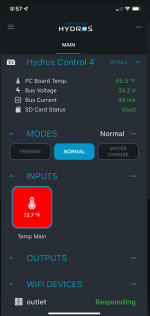
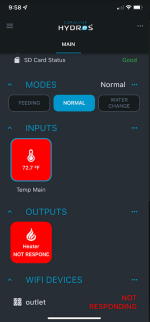
-Initial set-up and connection with both the plug and the 4 outlet strip shows as successful. Connection seems to last for about 30-60 seconds before either device drops to "not responding." Currently the devices are all in my office about 6 feet away from each other (included the WAP they are connecting to).
-The online documentation doesn't match exactly with the current app device setup. I have checked firmware versions (197) and I'm current. I think this is just more of an annoyance than anything, but the instructions for device setup in the app are slightly different than the instructions in the online documentation.
-I have tried power cycling the Control 4 several times between "failed" pairings. Has not helped. Also tried rebooting and wiping the control 4.
-Yes I am waiting until the LED on the individual devices blinks at a rate of greater than once per second before I attempt to configure it.

It seems like a lot of the wifi issues I have found seem to resolve themselves and the threads die without any actual resolution. Any other suggestions before I just replace these devices with XP8s? Everything else seems to be working really well.
 
Is your 2.4ghz channel a different name than you 5ghz channel. Also when paring make sure the device you are using to pair with is on the same channel you want the wifi devices on.
 
What is the 2.4ghz ssid associated with Hydros? Are you attempting to pair the wifi devices from your phone? The screenshot you shared the other day indicated you were attached to AT&T Wi-Fi ssid. My guess is you are attaching your wifi strips to AT&T Wi-Fi ssid which is using band steering technology to push the devices to 5ghz which causes the disconnect and don't even know it. That's why your Hydros X4 and WELE connections are stable but outlet and power strip aren't. Humor me. Attach your phone to the 2.4ghz Hydros ssid and try pairing again.
 
Last edited:
What is the 2.4ghz ssid associated with Hydros? Are you attempting to pair the wifi devices from your phone? The screenshot you shared the other day indicated you were attached to AT&T Wi-Fi ssid. My guess is you are attaching your wifi strips to AT&T Wi-Fi ssid which is using band steering technology to push the devices to 5ghz which causes the disconnect and don't even know it. That's why your Hydros X4 and WELE connections are stable but outlet and power strip aren't. Humor me. Attach your phone to the 2.4ghz Hydros ssid and try pairing again.
This was my first ever post on this forum or any other about the Hydros - perhaps confusing me with another. I am "gabe" on r2r though. No AT&T anything here. I use a managed switch in the house with WAPs (all cheap TP Link omadas).

Per your question - I have tried to pair the device both through my phone connected to my regular wifi network (which is multi-wap mesh network that does band stearing). I also tried switching to my Hydros SSID on my phone and tried pairing with my desktop through the browser app (that doesn't even have wifi, but it is on the same network). In all cases, the initial pairing is successful and then almost instantly the status changes to "non responsive".

I am curious what the actual pairing procedure internally of these two devices is and I wish I could see which network the two wifi outlets are connecting through. It's all happening behind the scenes.

In answer to @Danny - the SSID I set-up for the hydros I did name "Hydros"... I suppose it's possible that could cause an issue? I will try changing it for giggles.
 
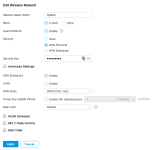
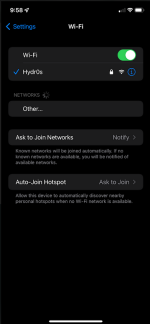
Changed the SSID name from Hydros to Hydr0s in the off-chance that mattered...

Could it be!?
1653746561959.png
No...
1653746592154.png
And phone was on the same/correct network:
1653746633434.png
 
Is the access point you are using for the Hydros wired to the router or communicating with wireless to the router? The wifi power strips are tuya protocol. It has been a while since I paired one but it may take 2 to 3 minutes afterwards. Also once pared and they loose connection what does the light on the wifi strip look like?
 
Last edited:
Is the access point you are using for the Hydros wired to the router or communicating with wireless to the router? The wifi power strips are tuya protocol. It has been a while since I paired one but it may take 2 to 3 minutes afterwards. Also once pared and they loose connection what does the light on the wifi strip look like?
It's a POE WAP that goes back to a managed POE switch that then goes to the router. I have a bit of an overkill home network setup complete with a rack mounted patch panel... I guess that is what makes this a bit more frustrating - no other piece of home automation has been this difficult to get setup. I suppose as an alternate I could try setting up a 2.4ghz only network on the fios wifi router I have and see if the problem exists there also. Will try to narrow down what is causing the issue.

Btw - is that caulestrea in your avatar??? Never seen a pink/yellow like that if so! Stunning.
 
Is there a way you can temporarily turn off the other radio channels when you are paring except the one you want it paired on and see if they will stay connected. If that works you can turn the other radio channels back on one at a time to see if one of them is causing an issue.

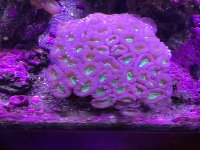
Yes, that is candy cane coral. Here is a more recent photo.

09E3330E-E3D7-4D49-96CF-6F3B768E527A.jpeg
 
Is there a way you can temporarily turn off the other radio channels when you are paring except the one you want it paired on and see if they will stay connected. If that works you can turn the other radio channels back on one at a time to see if one of them is causing an issue.

Yes, that is candy cane coral. Here is a more recent photo.
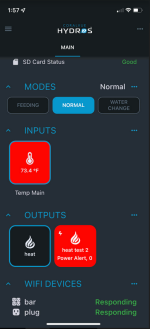
Well I'll be damned... I think its working.

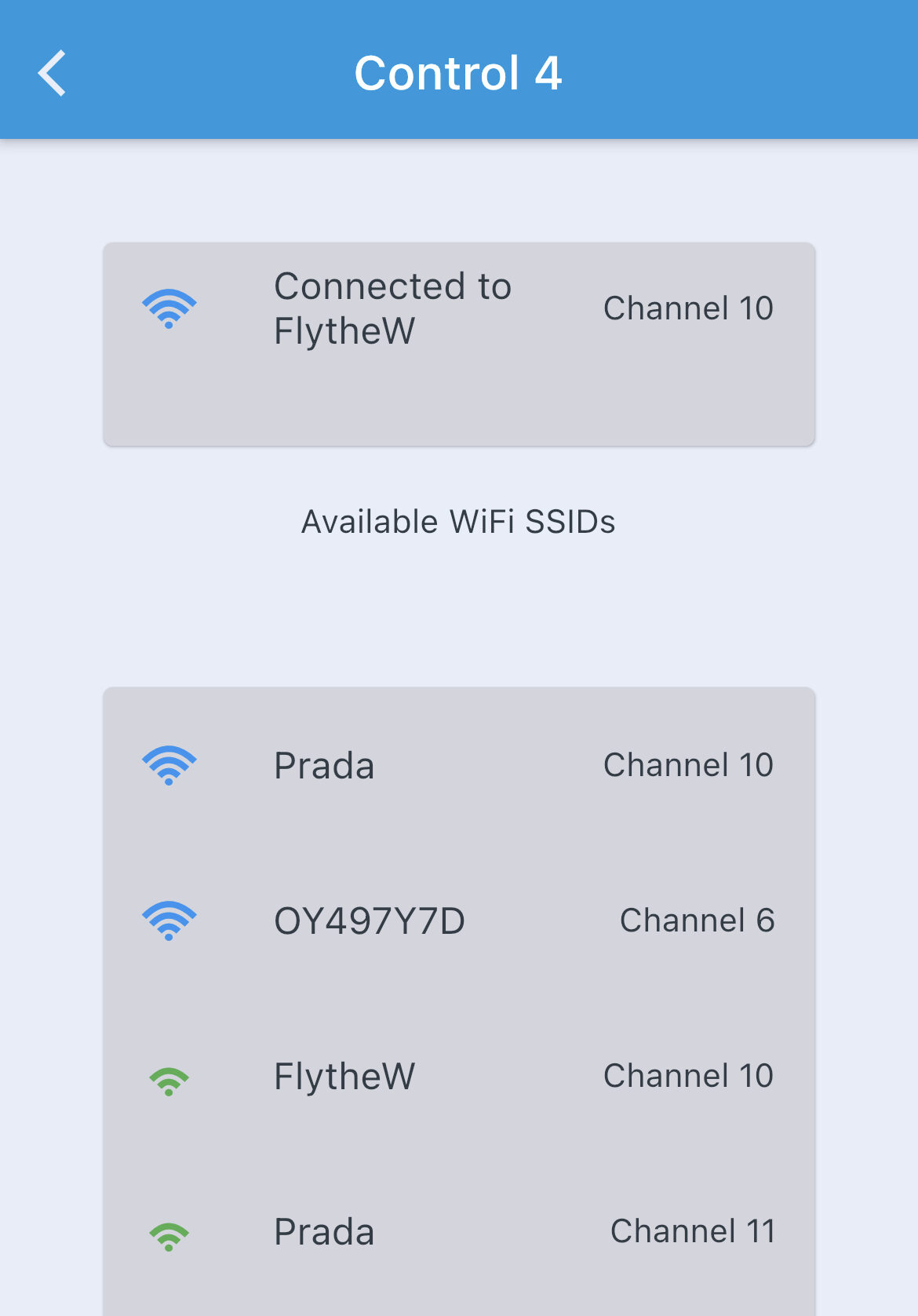
Was about to force it to another channel per your suggestion after I created a 2.4ghz network on the Fios provided wifi router, but noticed that the fios router assigned it a different channel (my wap was giving it channel 10; the fios wifi router is giving it channel 6 by default). However, it looks like its working now that I set up an SSID using the fios router's "IoT network" function, which is just their 2.4ghz only section. I wasn't really able to configure anything else there, but clearly something with the TP Link/Omada network wasn't working with the Hydros plugs.

The only outside concern I have now is that the default router fios provides doesn't have great coverage in the basement, where my frag tank and mixing station is at. I have a chase from my main floor tank to that area though, so I might need to get creative with how I route extension cables for sense and drive ports down there and be cautious with the outlets driving heaters/pumps etc.

1653760740553.png
Thank you @Danny and @thom_smith for the suggestions.
 
Back
Top