
Navigation
Install the app
How to install the app on iOS
Follow along with the video below to see how to install our site as a web app on your home screen.
Note: This feature may not be available in some browsers.
More options
You are using an out of date browser. It may not display this or other websites correctly.
You should upgrade or use an alternative browser.
You should upgrade or use an alternative browser.
Signal Strength
- Thread starter d0gFartz
- Start date
- Tagged users None
Users Who Are Viewing This Thread (Total: 0, Members: 0, Guests: 0)
John Neuzil
Active member
I should think putting your phone next to the unit would tell you.

Danny
HYDROS Expert
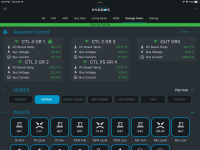
See the wifi shmbol in the info for each control unit on the status page. Those will change colors depending on thr wifi signal. I have seen mine amber on one of the control units on occasion. Green is good.
- Admin
- #4

There are several apps on the app store that will measure WiFi strength. If you have issues with WiFi dropping, it might be better to install an Access Point and give your aquarium its dedicated WiFi signal so other home devices cannot overload it.
 www.coralvuehydros.com
HYDROS Control - What kind of WiFi router do I need?
What kind of router do I need to setup the HYDROS. Here we will show you what to do to create a stable WiFi connection.
www.coralvuehydros.com
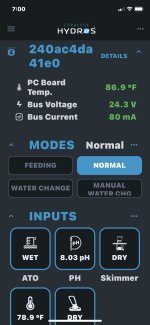
Mine does not show the wifi like yours Danny, maybe because your running a collective?. I'm just using a single control 4 for the time being.The only reason I was curious was because I was using an older wifi extender (Netgear) but then my wife was having issues working remote and her IT logged in and told her get rid of that its messing with her remote stuff. We removed it and the hydros still seems to work fine even though its theoretically passing the wifi signal thru the water of the tank. When I originally hooked it up I had never even tried it with out the extender because the directions said the signal must not have water in the way. Im guessing maybe my router is powerful enough then to overcome the water issue, I have a Netgear R7000 Nighthawk, Its got antennas sticking out everywhere, I know I can get wifi 1/4 mile away lol
- Admin
- #6

- Joined
- Apr 23, 2020
- Messages
- 327
- Reaction score
- 128
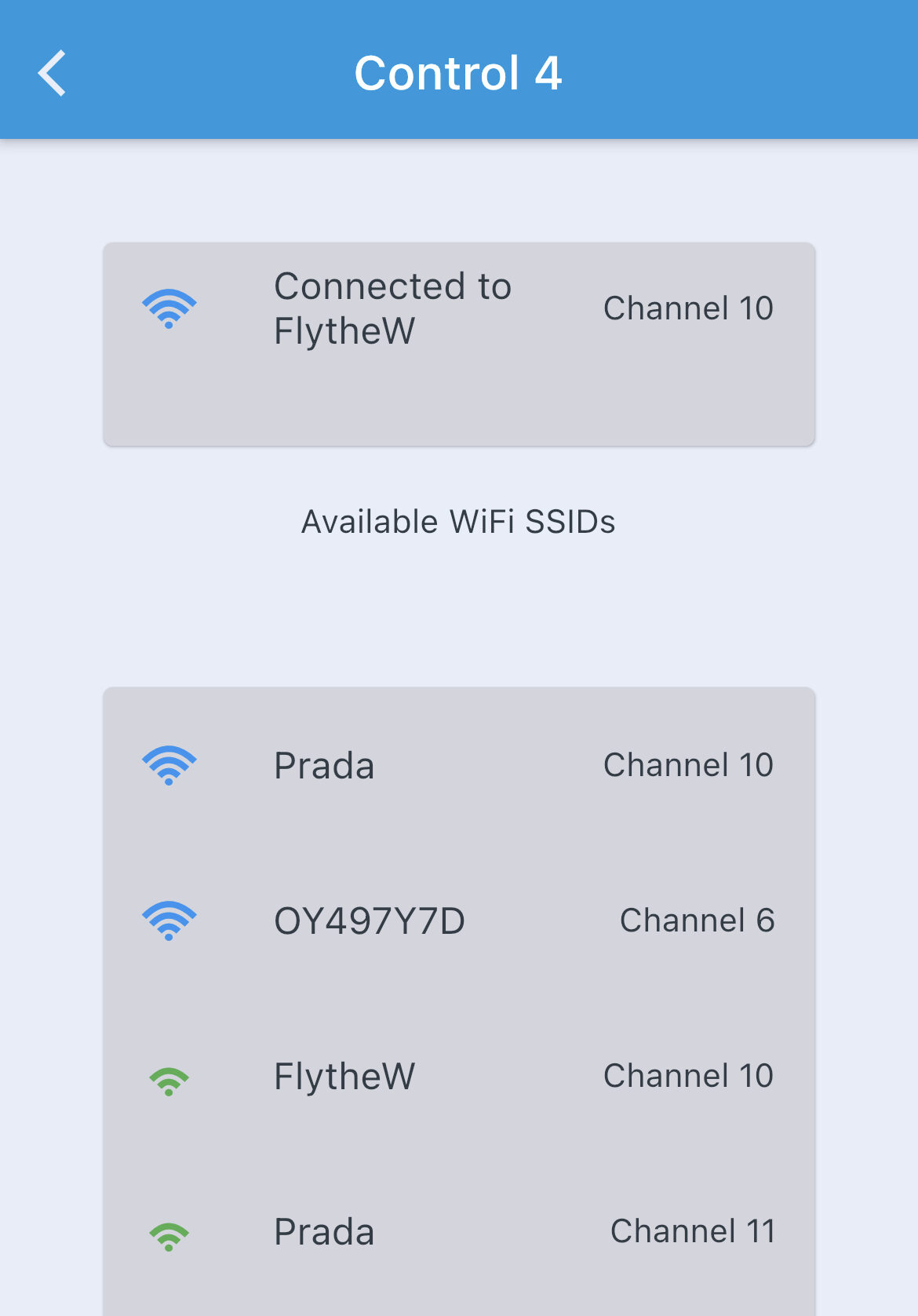
Press the "+" button at the top of the left hand menu (like you were going to add a new device).
Your Control 4 will appear on the list of devices discovered on Bluetooth (you need to be physically close to the device).
The signal strength shown here is the Bluetooth signal strength.
Touch that device.
The next screen will show you all the WiFi networks that the C4 can detect and their various signal strengths.
Then just hit the back arrow to cancel the add new device process.
Your Control 4 will appear on the list of devices discovered on Bluetooth (you need to be physically close to the device).
The signal strength shown here is the Bluetooth signal strength.
Touch that device.
The next screen will show you all the WiFi networks that the C4 can detect and their various signal strengths.
Then just hit the back arrow to cancel the add new device process.
- Admin
- #7
I have a Nighthawk 7800 at home, and it still drops WiFi now and then. Distance has nothing to do with reliability and preventing the WiFi from falling. Temporary WiFi drops are normal and happen all the time. Unfortunately, most folks do not even notice because hardly anybody has a piece of equipment that "monitors" your WiFi and lets you know when it drops.
Several times my router's DHCP routine freezes and will not accept new connections. The only way to fix it is to restart the router. After all, the route is a computer. It might not have a monitor, keyboard, and mouse, but it is still a computer that needs a restart every so often. There are firmwares out there even allow you to "schedule" an automatic restart. There are two camps on this, but I am of the one where a reboot once a day/week is a good thing.
We wrote the article which offers easy-to-implement and inexpensive ways to create a more reliable WiFi network. These are things that businesses implement to make sure their WiFi is reliable. For example, most business offices have a "wired" mesh that allows multiple "Access Points" wired to the main router creating a highly reliable overlapping grid.
See the section on "Recommended Access Points."
What kind of WiFi Network or Router Do I Need?
Several times my router's DHCP routine freezes and will not accept new connections. The only way to fix it is to restart the router. After all, the route is a computer. It might not have a monitor, keyboard, and mouse, but it is still a computer that needs a restart every so often. There are firmwares out there even allow you to "schedule" an automatic restart. There are two camps on this, but I am of the one where a reboot once a day/week is a good thing.
We wrote the article which offers easy-to-implement and inexpensive ways to create a more reliable WiFi network. These are things that businesses implement to make sure their WiFi is reliable. For example, most business offices have a "wired" mesh that allows multiple "Access Points" wired to the main router creating a highly reliable overlapping grid.
See the section on "Recommended Access Points."
What kind of WiFi Network or Router Do I Need?