Unable to link Wifi Strip

Users Who Are Viewing This Thread (Total: 0, Members: 0, Guests: 0)

cpyeap01

New member
Joined
Feb 21, 2021
Messages
9
Reaction score
0
Location
santa clara
I'm having issue with setting up the Wifi power strip with Control2.

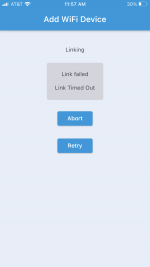
the linking failed. Reboot the Conrol2 and the app and that failed as well.

Anyone have experience this? I email coralvue support. Hopefully this get resolved. Otherwise, it will be a very expensive power strip.
 

Attachments

  • IMG_1359.PNG
    IMG_1359.PNG
    90.1 KB · Views: 1
Make sure the device you are using to setup the power strip is on the network you want the strip on. I have to switch mine from the 5g to 2g before i setup a wifi strip.
 
Everything seems correct, except the Wifi Outlet will not link. I confirm my home network is 2.4Ghz.
 
Does anyone know how the wifi outlet scan for the wifi strip in the beginning? There is no way the wifi strip can connect to wifi before completing setup. Is the Control2 using bluetooth to connect to the Wifi Strip during initial setup?
 
When I add a power strip I have the device I am on which is an iPad near the wifi strip but my control units are in the garage. I have had it where they did not connect on the first try before, but usually work on a retry. You do have internet access? It is required I believe.
 
Got it connected. Not sure what is the fix but this is what I did

1. Reboot the router
2. Unplug all devices on the wifi strips (I had a power head connected during installation previously)
3. Reset the control 2 wifi setting using magnet
4. Reconfigure wifi setting on control2
5. Repeat the wifi outlet installation step

Now I’m confused on the output. Specifically generic output. I’m hoping to use the hydros as a timer for flow pump. I can set schedule but the outlet is not on based on the schedule.

I’ll start another thread
 
Glad to hear you have it working. On your output if you do not have a input you will need to set the input count to 0 to get it to work. There is also an issue with a schedule running past midnight. Make sure the schedule ends before midnight.
 
Glad to hear you have it working. On your output if you do not have a input you will need to set the input count to 0 to get it to work. There is also an issue with a schedule running past midnight. Make sure the schedule ends before midnight.
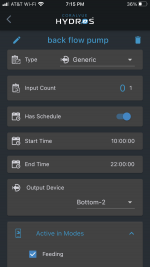
This is my setup for the flow pump. It’s still not running on the schedule 10am to 10pm.

I have input count set to 0 and schedule didn’t pass midnight.

any idea what is wrong with this setting?
 

Attachments

  • 1782A665-1E9C-439E-9DCC-35A0F6EF86D3.png
    1782A665-1E9C-439E-9DCC-35A0F6EF86D3.png
    144 KB · Views: 16
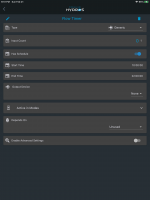
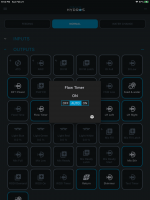
I just setup an output and called it Flow Timer with your times. It is on at this time. I will see if it goes off at 10.

DFC0368D-42C9-41CA-9523-0466720BE0F4.png

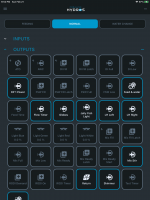
Results below
779FFA50-E739-4159-B2D7-E4C93D73B7FE.png

DFBCF625-9F8A-4959-B3D9-1607574AAC89.png
 
Wow , you have a lot of devices!

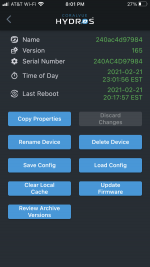
I think I figure out the timer. It’s on EST and I’m in PST. Do you know if we can change the time zone?
 

Attachments

  • 45E1B182-E1FB-4CE6-84B4-D90139395268.png
    45E1B182-E1FB-4CE6-84B4-D90139395268.png
    180 KB · Views: 1
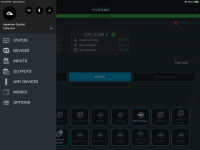
For the time zone setting click on the three bars in the upper left of the app. You should get the popup like below. Select options from the menu.

DDD5E4CB-38FC-45E5-8873-E03237969B07.png

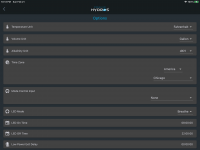
You should get this screen. The timezone setting is the forth one.

550E40A5-0E5A-43A2-980E-2F333F4B8EF1.png

I really don't have that many physical devices. Some of those outputs are I guess what you can call virtual. They or outputs as far as the controller logic but do not actually change a physical port or outlet. When you get into some of the more advanced programming they come in handy.
 
Last edited:
Glad that it worked. Most likely, rebooting the router is what fixed the issue. We have seen that before, and it is router-related... after all, routers are still computers that need to be rebooted now and then.

The #1 troubleshooting tip for any networking issue with any product of any brand is... restart the router... :p
 
Back
Top