Navigation
Install the app
How to install the app on iOS
Follow along with the video below to see how to install our site as a web app on your home screen.
Note: This feature may not be available in some browsers.
More options
You are using an out of date browser. It may not display this or other websites correctly.
You should upgrade or use an alternative browser.
You should upgrade or use an alternative browser.
XP4 Stopped Logging
- Thread starter MartinM
- Start date
- Tagged users None
Users Who Are Viewing This Thread (Total: 0, Members: 0, Guests: 0)


Danny
HYDROS Expert
Have you done a power down reboot on it of if it is in a collective then it would be the whole collective?
Thanks, tried it, no luck. It's not a collective, single device. Are there settings for turning logging off and back on?Have you done a power down reboot on it of if it is in a collective then it would be the whole collective?
Danny
HYDROS Expert
Not that I am aware of. You have a X4 or XP8? There is no XP4. If it is an X4 are you getting graphs for the inputs? There are no graphs for outputs on the logs. There are no logs for inputs on the outputs.Thanks, tried it, no luck. It's not a collective, single device. Are there settings for turning logging off and back on?

Danny
HYDROS Expert
Usually doing a reboot from the right menu under device properties will get it started again. If that does not work you may want to submit a support ticket with CoralVue and let them check into the issue.

- Joined
- May 8, 2020
- Messages
- 782
- Reaction score
- 107
Do you mean it is not showing graphs?
If that is what you mean? hit the three dots next to inputs and make sure it is on graphs.
Or do you mean the Graphs are showing with nothing on them?
If that is what you mean? hit the three dots next to inputs and make sure it is on graphs.
Or do you mean the Graphs are showing with nothing on them?
Danny
HYDROS Expert
There will be a gap in the graphs but it should start logging again. It will take a few minutes after the reboot to do that. Did you reboot the wifi master if it is a collective or the controller if it is a single controller? You do the reboot from the right menu under device properties.
- Joined
- May 8, 2020
- Messages
- 782
- Reaction score
- 107
This has happened to me but it has been a long time. I had to switch to View tile mode and then back and they showed up just fine.
If that does not work do what Danny said and reboot. Also make sure firmware is up to date on them all.
If that does not work do what Danny said and reboot. Also make sure firmware is up to date on them all.
Thanks, I think I mentioned above that I tried all of that before posting.This has happened to me but it has been a long time. I had to switch to View tile mode and then back and they showed up just fine.
If that does not work do what Danny said and reboot. Also make sure firmware is up to date on them all.
Anyway, they've suddenly started working again I just noticed, as of about a day ago. Nothing changed, not sure why they stopped or why they started again.
Danny
HYDROS Expert
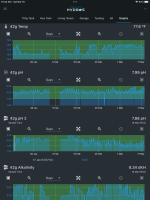
If you have a internet interruption it will also cause a gap in the graphs. I lost internet for 5 days straight a few years ago and my graphs had a 5 day gap in them from that. I got some screenshots afterwards of the gap. Here is one of them. Even in this screenshot there are other smaller gaps from times with no internet.