Combiner active when should be off

  • Thread starter Thread starter Raiden
  • Start date Start date
  • Tagged users None

Users Who Are Viewing This Thread (Total: 0, Members: 0, Guests: 0)

Raiden

Member
Joined
Mar 28, 2022
Messages
181
Reaction score
14
Location
Orlando, FL
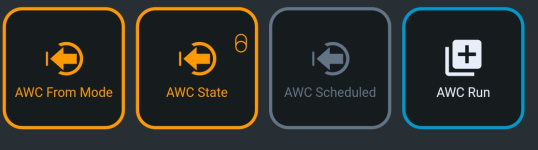
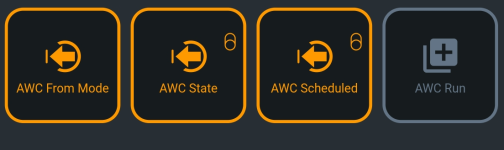
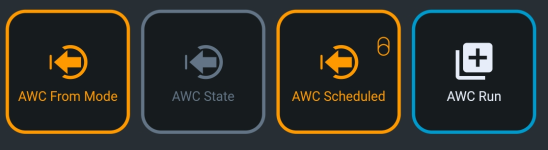
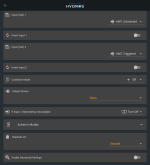
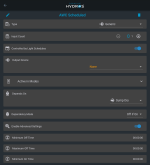
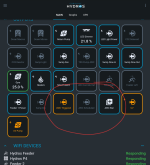
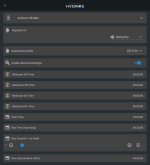
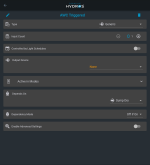
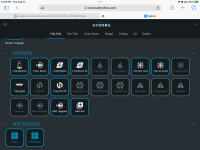
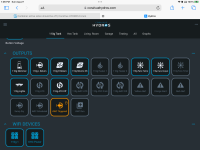
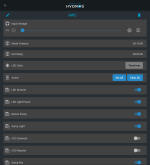
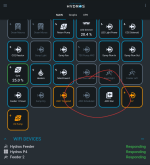
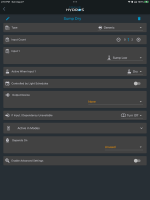
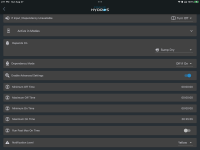
Not sure if it's a bug or I'm missing something, but combiner of two outputs that are off ends up in on state. Setting inputs manually to off would trigger combiner to finally go off in OR state.

Note all of these outputs are not controlling anything and suspect this is where the bug might be coming from. When I use same combiner, but select two outputs actually assigned to some device that are both off, it acts as expected.

Reason for not having outputs... So far this is the way I figured to achieve what I want (also there is technically one extra output than needed, I just added it to for sure see one of them is OFF instead of just yellow for off due to mode)

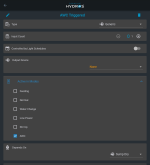
In general what I am trying to do is control an outlet either by schedule or mode. If in AWC mode just turn on, mode will exit by itself after 25 minutes. Or if scheduled turn on at 11pm and also run for 25 minutes. Either basically turns on small pump to pump water out of the sump. Refill is just gravity fed.

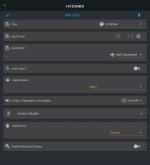
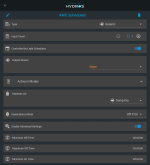
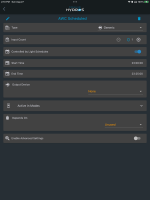
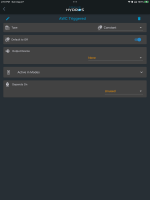
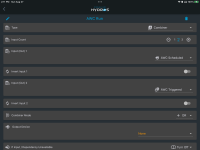
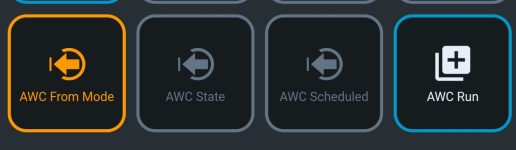
I decided to make one generic output with schedule - AWC Scheduled. One from mode being active - AWC From Mode. And to combine the two with OR. And then original output could just be replaced with this combiner to drive the pump.
AWC State is just there to clearly show OFF/ON of AWC From State output, but not actually needed.

So can anyone think of another way of setting this up, aside from two virtual outputs, one driven by schedule, one by mode, comined together? As that seem to not work as expected at the moment.
 

Attachments

  • Screenshot_20230827_095200.png
    Screenshot_20230827_095200.png
    73.3 KB · Views: 6
  • Screenshot_20230827_095248.png
    Screenshot_20230827_095248.png
    77.5 KB · Views: 6
  • Screenshot_20230827_095304.png
    Screenshot_20230827_095304.png
    82.3 KB · Views: 5
  • Screenshot_20230827_095322.png
    Screenshot_20230827_095322.png
    78.2 KB · Views: 6
  • Screenshot_20230827_095216.png
    Screenshot_20230827_095216.png
    210.2 KB · Views: 6
Tried assigned virtual outputs to some 0-10v outlets as it's all i have left. Didn't seem to change things. But picking any two outputs controlling outlets or feeders seem to act as expected...
 
Without all the settings showing it is hard to tell. Do you have a depends on setting on the output?
 
That's combiner. No depends. Two inputs to it, both have depends on water level being high enough otherwise off
 

Attachments

  • Screenshot_20230827_130517.png
    Screenshot_20230827_130517.png
    203.1 KB · Views: 4
Two inputs for combiner
 

Attachments

  • Screenshot_20230827_130632.png
    Screenshot_20230827_130632.png
    239.6 KB · Views: 5
  • Screenshot_20230827_130658.png
    Screenshot_20230827_130658.png
    657.9 KB · Views: 5
  • Screenshot_20230827_130639.png
    Screenshot_20230827_130639.png
    252.5 KB · Views: 4
  • Screenshot_20230827_130621.png
    Screenshot_20230827_130621.png
    186.9 KB · Views: 5
And again combiner works as expected if I pick some other "real" inputs to it. Two off things make it off etc. But not with these two inputs that are off. Including just using only scheduled one for example and some other "real" input still makes combiner stuck at ON
 
Even just making combiner of 1... And pointing to scheduled output makes it turn on. While if I say point it to Sump Light which is OFF and controls actual outlet combi er turn off. So there is some bug happening.
 
Have you tried a power down power back up on the controller or collective yet?
 
Also what is the purpose of AWC triggered. It has no inputs or a schedule. I can try and recreate it so You just have the two AWC triggered and AWC scheduled as inputs to your combiner? I have a sump low sensor I can use but I will have to create an output for that to use in the depends on setting.
 
Triggered is set to only work in one mode AWC. That mode auto exists after 25 mins. But again this happens with just one item combiner point to scheduled output as inout. Awc scheduled is off and combiner sits in on state...
 
I think I recreated everything right. Once created AWC triggered was always on the way it is setup. I had to manually set that to off and when I did AWC run combiner went to off. Is there a reason you want AWC triggered I does not appear to do anything and has to be overridden for the AWC run output to go off.

IMG_9468.png
IMG_9469.png
 
AWC Triggered tied to single mode. So it's off normally. I can switch to AWC mode to manually do a water change. But again combiner does not work correctly with just single input
 

Attachments

  • Screenshot_20230827_142029.png
    Screenshot_20230827_142029.png
    186.3 KB · Views: 0
  • Screenshot_20230827_142111.png
    Screenshot_20230827_142111.png
    224.5 KB · Views: 0
Input is off, yet combiner staying on lol
 

Attachments

  • Screenshot_20230827_142333.png
    Screenshot_20230827_142333.png
    638.3 KB · Views: 1
  • Screenshot_20230827_142324.png
    Screenshot_20230827_142324.png
    196.3 KB · Views: 1
  • Screenshot_20230827_142311.png
    Screenshot_20230827_142311.png
    240 KB · Views: 1
You can use a constant output set to normally off for AWC triggered then. So far mine is off. You said if you select a different output than AWC scheduled that the combiner is off? It may be an issue with the AWC scheduled output. If you are only doing a single time per day you don't need to use advanced settings. That is when you need to set for multiple times. Also if you are only doing a run count of 1 leave the run interval at the default. I did set mine up like you had it in the screenshots but the scheduled time has not come and gone yet. If you want I can leave it setup and see what happens.
 
Yeah there might be better way. I basically want awc pump to run once a day for 25 mins. Or somehow triggered by me for 25 mins
 
I will see what I can come up with. I will change some things and post them. So you only want it on for 25 minutes even with the manual start?
 
Ok, here is what I have come up with. The first one I added so I would have the sump dry for the depends on setting. I tied it to my sump low sensor but it should never get that low.

IMG_9482.png

This is the AWC Scheduled output. I turned off advanced settings and set it to be on from 23:00 to 23:25. I also removed the depends on from this output and AWC Triggered and added it to AWC run instead. Otherwise it is the same.

IMG_9483.png

The AWC Triggered output I change to a constant output type instead of generic. That way in auto it is off. You will need to override it to on when you want AWC Run manually active. That is one reason for putting the depends on on AWC Run as the Constant output will not let use set it to off if on since the output is normally off and when overridden the depends on will not work anyway.

IMG_9484.png

The next two screenshots are of AWC Run. Two changes here the depends on was added to this output instead of AWC Triggered and AWC Scheduled. The other is I enabled advanced settings and added a maximum on time of 25 minutes and 5 seconds. So if the manual override is left on it will run for 25 minutes and 5 seconds then turn off and remain off until AWC Triggered is turned off. It will also send a yellow alert so you will now it timed out. I figured the 5 seconds would keep it from maxing out the on time on a normal scheduled event. Make sure and test it to see if it will do what you want. If you have a unused 0-10v input @JeffB418 makes button boxes that you can connect to one of those inputs and setup a button to trigger the AWC Triggered output. In the button input settings you can set how long you want that input active once it is pressed. So you can set that for 25 minutes there. I would still leave the maximum on time setup on AWC Run just in case something odd happens.

IMG_9485.png
IMG_9486.png
 
Back
Top