App 209 / Firmware 192

  • Thread starter Thread starter Carlos
  • Start date Start date
  • Tagged users None

Users Who Are Viewing This Thread (Total: 0, Members: 0, Guests: 0)

Something is going on with the Google Play store. If you look at the HYDROS app page online, you can see the Google Playstore is showing the latest app available.

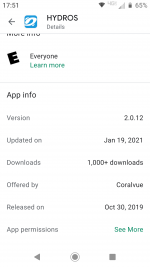
When I go to the link you gave to the app it says already installed and here is the app info.
 

Attachments

  • Screenshot_20210928-175142.png
    Screenshot_20210928-175142.png
    181.1 KB · Views: 1
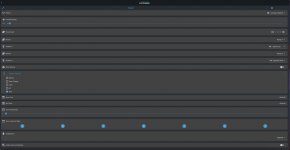
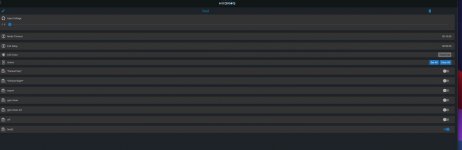
I was on version 190 upgraded to 192 and modes not working. created a new one from scratch no dice

View attachment 1494View attachment 1495
I checked your controller and you have advanced settings on the schedule and they are not configured correctly. Disable advanced settings and that will fix the problem. You do not need them for what you are trying to accomplish.
 
I checked your controller and you have advanced settings on the schedule and they are not configured correctly. Disable advanced settings and that will fix the problem. You do not need them for what you are trying to accomplish.
same result. I only enabled that while troubleshooting to make sure the input voltage was set to none

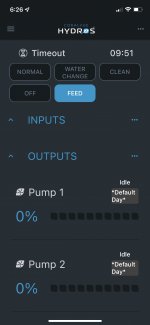
odd when selecting feed mode the pump still shows default day and "idle"

I went ahead and opened a ticket
 

Attachments

  • 1DA223A4-456C-4E8E-AF08-B2E35DD66611_1_102_o.jpeg
    1DA223A4-456C-4E8E-AF08-B2E35DD66611_1_102_o.jpeg
    172.9 KB · Views: 1
In this case, I recommend you submit a ticket at CoralVue Support Portal, and one of the reps there will help you. They will be able to access your control unit and see what the issue might be.
 
same result. I only enabled that while troubleshooting to make sure the input voltage was set to none

odd when selecting feed mode the pump still shows default day and "idle"

I went ahead and opened a ticket
It looks like the issue had to do with the schedule. I removed your old Feed2 schedule and recreated it as Feed. Then I tried the feed button, and it worked. Please make sure you close out the app completely and open it again not to overwrite my changes.
 
It seems that the second time we submitted, the app worked. A few folks are reporting that the updated app IS showing up in the play store.
 
Something is going on with the Google Play store. If you look at the HYDROS app page online, you can see the Google Playstore is showing the latest app available.

All better now. The update for the App turned up last night and I was able to update. Thanks for fixing it.
 
I am having problems downloading 192 to WaveEngine, it has downloaded and updated Control X4 fine. Any recommendation? I have tried 10 - 12 times since yesterday, it always says it failed after 2 - 3 minutes during download.
 
I am having problems downloading 192 to WaveEngine, it has downloaded and updated Control X4 fine. Any recommendation? I have tried 10 - 12 times since yesterday, it always says it failed after 2 - 3 minutes during download.
What firmware is the unit running currently?
 
After my W/E problems with Varios 2 pumps, (see thread in W/E engine section of forum. My returned W/E had FW 192 installed that fixed my issue with my Reef Octo Pumps yet I don't see this fix anywhere on the detailed change log?
 
I just purchased a XS to add additional sensors ports to my Control 4. It successfully downloaded version 192, however, it will not install it. The device appears to go through the motions of an update based on the LEDs, however, the app status doesn’t update. When I put the unit in Bluetooth mode it still says version 165. I’ve tried installing with the control 4 connected to the XS as well as the XS on standalone power. Any ideas?
 
I just purchased a XS to add additional sensors ports to my Control 4. It successfully downloaded version 192, however, it will not install it. The device appears to go through the motions of an update based on the LEDs, however, the app status doesn’t update. When I put the unit in Bluetooth mode it still says version 165. I’ve tried installing with the control 4 connected to the XS as well as the XS on standalone power. Any ideas?
Click the install button and then close the app. Wait 3-4 minutes then reopen the app and see if it updated. There was an issue with 165 doing this.
 
Back
Top